Remote Document Verification Is Changing How Organizations Serve Document Users
Many organizations still require people to physically visit an office whenever an official document needs to be submitted, stamped, signed, verified or processed.
This creates a significant operational challenge when the organization has multiple offices, departments, campuses or regional locations.
It also creates unnecessary inconvenience for people who are not employees of the organization but still need services from it.
A graduate may need an academic document verified. A supplier may need an official procurement document processed. A former employee may need an institutional letter authenticated. A partner organization may need an official document confirmed.
In a traditional workflow, the person may be required to travel to the institution, locate the correct office, submit the document, wait for processing and return later to collect the completed document.
Remote document verification provides a modern alternative.
What Is Remote Document Verification?
Remote document verification is a digital process that allows authorized users to submit documents to an organization through an online platform and receive verification or document processing services without physically visiting the organization.
A modern institutional EDMS can allow a user to create an account, identify the organization they need services from, upload the relevant document and select the required office or workflow.
The organization can then receive the document digitally and process it through its internal workflow.
Depending on the organization's configuration, the workflow may include review, verification, digital stamping, electronic signing, approval, routing and final document delivery.
Why People Should Not Always Need to Travel to an Institution
Physical visits are sometimes necessary, but many routine document services can be performed digitally.
Consider someone who lives in another county and needs an official document processed by an institution located several hours away.
Requiring that person to travel simply to submit a PDF, obtain an authorized stamp or request verification can create unnecessary cost and delay.
A remote workflow can allow the user to submit the document electronically and receive updates without making the journey.
How Remote Institutional Document Processing Works
- The user creates an account.
- The user selects the organization providing the service.
- The user uploads the required document.
- The user selects the relevant office or document service.
- The organization receives the submission.
- An authorized officer reviews the document.
- The document is verified, stamped, signed or otherwise processed according to the workflow.
- The system records the relevant actions.
- The user receives notification when processing is complete.
- The processed document can be accessed according to the organization's configured rules.
The Organization Becomes a Digital Service Point
This model changes the role of an institutional EDMS.
The platform is no longer simply an internal file repository for employees.
It becomes a digital service point through which an organization can provide selected document services to external users.
This can be particularly valuable for institutions that regularly interact with students, graduates, suppliers, contractors, applicants, partners, customers, former employees and other external stakeholders.
External Users Do Not Need to Be Employees
One of the important capabilities of a modern institutional document platform is controlled access for people who are not employees of the organization.
An external user can create an account and submit a document to a specific organization without becoming an employee or internal system user.
The organization can determine what external users are allowed to do.
For example, an external user may be allowed to:
- Create an account.
- Select an organization.
- Submit documents.
- Select a permitted service.
- Select a designated office.
- Track processing status.
- Receive notifications.
- Download an authorized completed document.
Sending a Document to a Specific Institutional Office
Large organizations can have many departments and offices.
A document submitted to the wrong office can create unnecessary delays.
A modern platform can allow an external user to select the appropriate office or service when submitting a document.
For example, a user may need to submit a document to the registrar, procurement department, finance department, human resource office or another designated office.
The organization can configure which offices are available for external submissions.
Remote Stamping Without Visiting the Institution
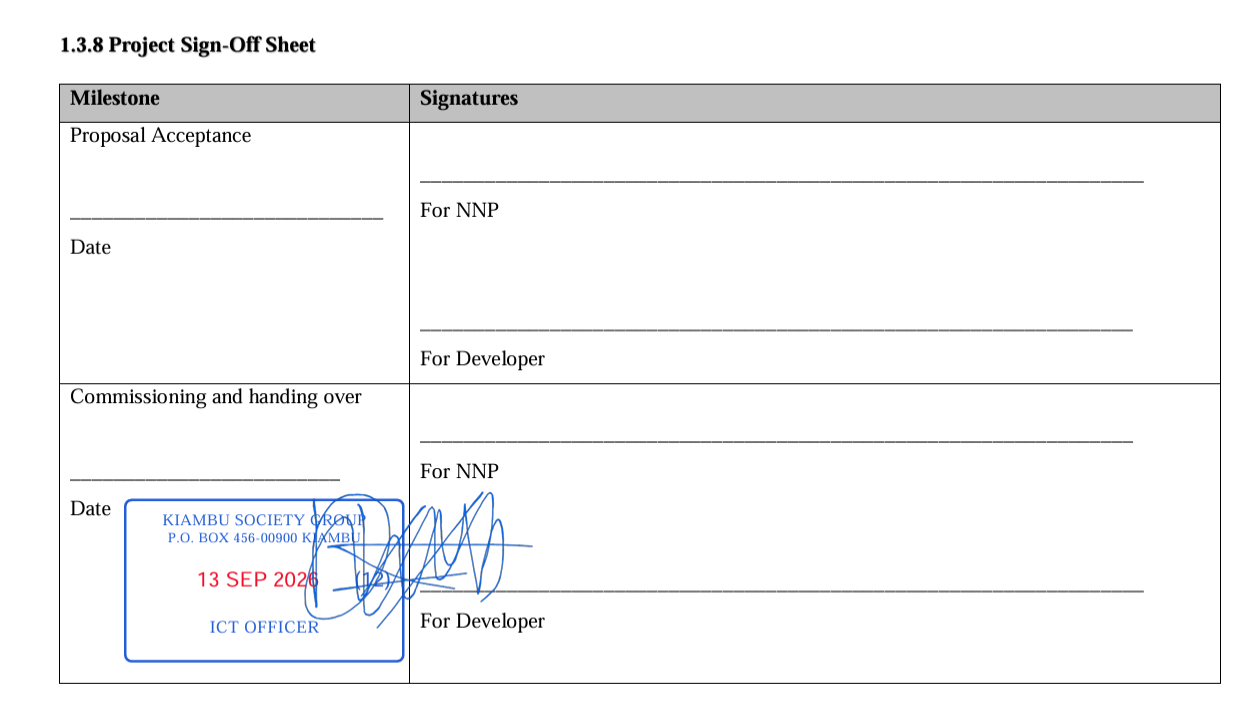
One of the strongest use cases is remote document stamping.
A user can submit an eligible document online and request processing by an authorized institutional officer.
The officer can review the document and apply the configured institutional digital stamp according to organizational policy.
The completed document can then be returned through the platform.
This eliminates the need for the user to travel simply to physically present the document for stamping when the organization's policies permit digital processing.
Remote Electronic Signing
Some documents require an authorized institutional signature.
Instead of requiring physical movement, the organization can route the document to an authorized signer through the digital workflow.
The signer reviews the document and performs the appropriate electronic signing action.
The system can then route the completed document back to the requester or to another institutional stage.
Remote Certificate Verification
Remote verification can also be used when someone needs confirmation that a certificate or official document was issued by an organization.
The verification process can provide an online mechanism for checking the document reference without requiring the requester to visit the issuing organization.
QR verification can further simplify this process by allowing recipients to scan a code associated with the document.
Remote Document Services for Universities and Colleges
Universities and colleges interact with large populations of current students, graduates, employers and external organizations.
Remote document services can support workflows involving certificates, letters, academic documents and other approved institutional records.
This can reduce repetitive physical visits to administrative offices.
Remote Services for TVET Institutions
TVET institutions can also benefit from remote document workflows.
Graduates may live far from the institution after completing their studies and may need official documents for employment or further education.
A digital submission and verification workflow can provide a more accessible service model.
Remote Services for Government and Public Organizations
Public organizations frequently serve people who may live far from their physical offices.
Where policies and service requirements permit, digital document submission can reduce unnecessary physical visits for eligible services.
Remote Procurement Document Processing
Suppliers and contractors may need to submit documents to procurement departments.
A digital workflow can provide a controlled mechanism for document submission and routing without requiring every document to be delivered physically.
Notifications and Status Tracking
Remote services become much more useful when users can see what is happening with their submissions.
A modern platform can provide statuses such as submitted, received, under review, assigned, approved, rejected, stamped, signed, completed or requiring additional information.
Notifications can inform users when an action has occurred.
Security for External Users
External access should not mean unrestricted access to institutional systems.
External users should only access documents and services associated with their own submissions and permissions.
Organizations can apply authentication, authorization and workflow controls to separate external users from internal administrative functions.
SyntaxDocVerify as a Remote Institutional Document Platform
SyntaxDocVerify is designed to support institutional document workflows involving both internal staff and authorized external users.
An organization can configure its offices and document workflows while external users can interact with the organization through controlled online services.
Learn more about institutional document verification, EDMS solutions for organizations, or request a demonstration.
Conclusion
Remote document verification can transform an organization from a location-dependent service provider into a digitally accessible document service environment.
Authorized users can submit documents, select the appropriate organization and office, monitor processing and receive completed documents without unnecessary physical travel.
For organizations with many offices and high volumes of document requests, this model can improve accessibility, workflow visibility and operational efficiency.