What Does Paperless Document Management Really Mean?
Paperless document management is more than storing PDF files on a computer.
A modern paperless environment should allow documents to move through the required organizational processes without unnecessary printing, scanning and physical movement.
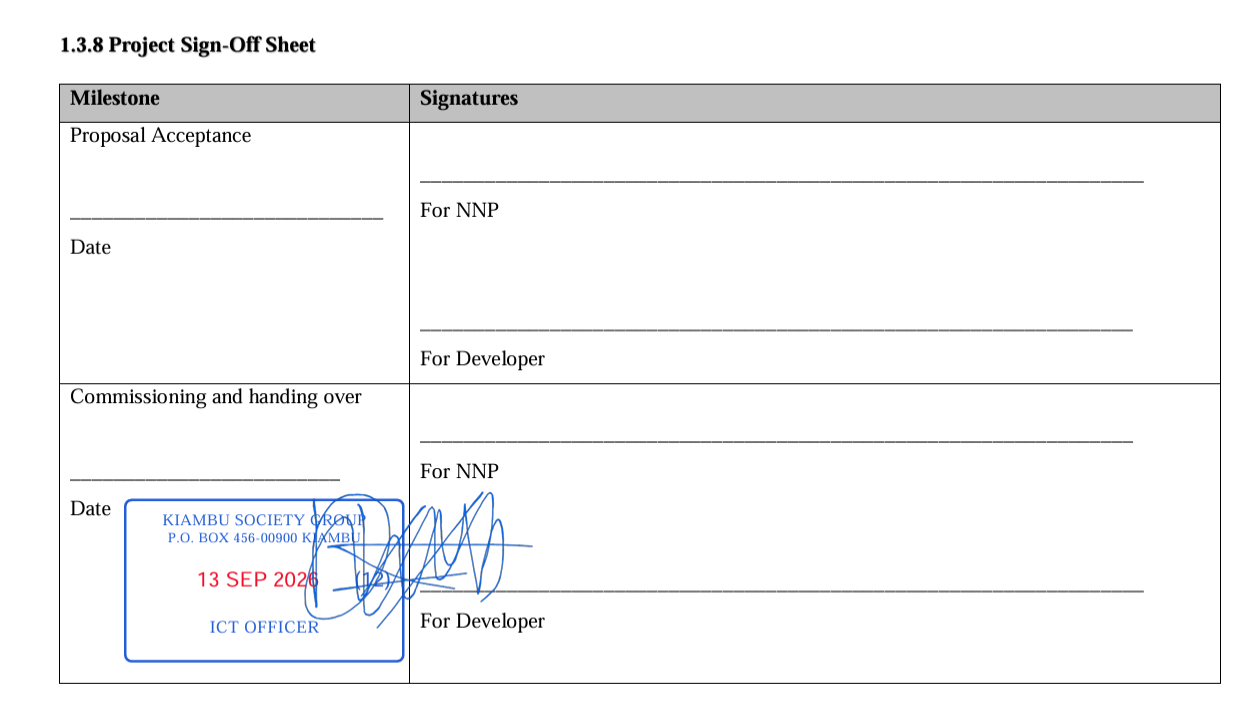
This can include document upload, classification, review, approval, routing, digital stamping, electronic signing, verification, notifications, controlled sharing and archival.
Why Paper Still Creates Operational Bottlenecks
Paper documents create physical dependencies.
A document may need to move from one office to another simply because a manager must review or sign it.
If the manager is unavailable, the document may remain pending. If the document is misplaced, staff may need to recreate or search for it. If the completed document needs to be shared electronically, it may need to be scanned again.
Digital workflows can reduce these repetitive steps.
The Difference Between Document Storage and Document Workflow
A basic document repository stores files.
A document workflow system manages what happens to those files.
This distinction is important for organizations.
Knowing where a file is stored does not necessarily tell management who must act on it, whether it has been approved, who stamped it, whether it was signed or whether it is waiting for another department.
A workflow-oriented platform connects the document with its operational process.
Digital Document Routing
Routing determines where a document should go next.
A typical workflow might look like:
Originating Department → Reviewer → Department Head → Finance → Management → Final Records
The actual sequence depends on the organization's structure.
Digital routing allows the system to communicate the next required action and provide visibility into pending work.
Digital Approval Workflows
Approval workflows can be used for procurement documents, reports, internal requests, financial documentation, contracts, administrative correspondence and other records.
Each approval stage can be assigned to the responsible user or office.
This creates clearer accountability than simply sending a PDF attachment through email.
Paperless Procurement Workflows
Procurement departments can process substantial amounts of documentation.
Documents may include requests, quotations, tender files, evaluation reports, purchase documentation, approvals and supporting records.
A paperless workflow can allow authorized staff to review and route documents electronically while maintaining an operational history.
Paperless Finance and Administration
Finance and administration departments also handle documents requiring several approvals.
Digital workflows can reduce the need to print documents solely for signatures and stamps.
Where organizational policy permits, authorized users can review and process documents through a centralized platform.
Digital Stamping Within a Paperless Workflow
Digital stamping can become one stage within the larger document lifecycle.
Rather than opening a document in a separate application, creating a stamp manually and sending the file through email, an integrated platform can associate stamping with the document workflow.
Electronic Signatures Within the Workflow
Electronic signatures can also be integrated into the approval process.
A document can be routed to an authorized signer after the required review has been completed.
The signing action can then be followed by additional routing or final completion.
QR Verification for Completed Documents
Paperless document management should not stop at internal processing.
Some documents are eventually presented to external recipients.
QR-based verification can provide a mechanism through which recipients can check a document against an online verification service.
Notifications and Workflow Visibility
Digital workflows become more effective when users know when action is required.
A document platform can notify responsible users about new assignments, pending approvals or completed actions according to the configured workflow.
This can reduce delays caused by documents remaining unnoticed in physical offices or email inboxes.
Document Audit Trails
Organizations need accountability.
A useful digital document platform should maintain information about important workflow events.
Examples include upload, assignment, review, approval, stamping, signing, forwarding and completion.
This creates an operational history that can help management understand how documents move through the organization.
Role-Based Access to Documents
Paperless does not mean unrestricted.
Organizations still need to control who can access documents and perform privileged actions.
Role-based permissions can separate document viewing, editing, approval, stamping, signing and administrative functions.
Secure Document Sharing
Organizations sometimes need to share documents with external recipients.
Instead of attaching documents to uncontrolled email conversations, organizations can implement controlled sharing mechanisms according to the sensitivity and purpose of the document.
Security requirements should determine how documents are exposed, for how long and to which recipients.
Paperless Document Management for Universities
Universities can use digital workflows for academic, administrative, procurement, finance, human resource and management documents.
Different departments can participate in connected approval workflows while maintaining controlled access.
Paperless Document Management for TVET Institutions
TVET colleges process academic documents, administrative records, procurement files, student documentation and management reports.
A centralized workflow can help reduce physical document movement between departments and authorized officers.
Paperless Workflows for Government Institutions
Government institutions can use digital document workflows to structure internal document movement and approvals.
Implementation should follow public-sector records management requirements, applicable policies and organizational governance frameworks.
Paperless Workflows for Private Companies
Companies can use digital document management for internal approvals, contracts, procurement, finance, HR and operational documentation.
Centralized workflows can make it easier for managers to identify pending documents and understand where approval delays occur.
Benefits of Paperless Document Management
- Reduced printing.
- Reduced scanning.
- Reduced physical document movement.
- Faster document routing.
- Improved approval visibility.
- Centralized document records.
- Better workflow accountability.
- Support for digital signatures.
- Support for digital institutional stamps.
- Online document verification.
- Improved document accessibility.
How to Start a Paperless Transformation
- Map current document workflows.
- Identify documents that create the greatest administrative workload.
- Define responsible users and approval stages.
- Identify documents suitable for digital processing.
- Configure security and permissions.
- Pilot the workflow with one department.
- Train users.
- Measure workflow improvements.
- Expand the system gradually.
SyntaxDocVerify for Paperless Document Workflows
SyntaxDocVerify combines document management, digital stamping, electronic signatures, QR verification, document routing and workflow visibility.
The objective is to help organizations move beyond simple digital storage toward structured document operations.
Learn more about document workflows for institutions, explore document verification, or request a demonstration.
Conclusion
Paperless document management is ultimately about improving how documents move through an organization.
Storage is only one part of the solution. Modern organizations also need routing, approvals, digital stamping, electronic signatures, verification, notifications, controlled access and document history.
When these capabilities are connected, organizations can build a more structured digital document environment while reducing repetitive paper-based activities.